


Choosing the right printer for your law firm isn’t just another office supply decision it’s an investment in efficiency, security, and long-term cost savings. Whether you’re an office manager looking to streamline operations or a solo attorney managing a busy practice, the right printer can make a big difference.
Why Law Firms Need Specialized Printers
Law practices have unique printing needs that ordinary office printers often can’t handle.
From lengthy discovery documents to complex contracts, your firm needs a machine that can keep up with heavy workloads while maintaining confidentiality and producing professional-quality output.
Here’s why a law firm printer must go beyond basic printing:
Confidentiality: Client data must remain secure.
Speed: Time is money slow printers cause bottlenecks.
Versatility: Handling legal-size paper (8.5” x 14”), scanning bulk files, and making quick copies is essential.
Cost Control: Toner, energy use, and repairs can quietly drain your budget if you choose poorly.
Essential Features for Law Firm Printers
1. Security You Can Trust
Protecting client data isn’t optional it’s mandatory. Look for:
Secure Print Release: Print jobs only release when staff authenticate at the machine.
Encrypted Data Transmission: Keeps scanned and emailed files secure.
User Authentication: Limits access to sensitive printer functions.
Hard Drive Protection: Ensures internal data is encrypted or overwritten automatically.
2. Speed & Productivity
Law firms can’t afford delays. Key specs to check:
High Pages Per Minute (PPM): Faster output for contracts, filings, and casework.
Quick First Page Out Time (FPOT): Saves time on short print jobs.
Automatic Duplexing: Double-sided printing/scanning saves time and paper.
3. Paper Handling Made Easy
Legal-Size Paper Support: A must for law offices.
Multiple Trays: Keep letterhead, plain, and legal paper ready at once.
Large Input Capacity: Reduces interruptions for refills.
4. Multifunctionality (MFPs)
Space-saving and efficient, MFPs combine printing, scanning, copying, and faxing:
High-Speed Scanning with ADF: Quickly digitize large files.
Duplex Scanning: Handles two-sided originals automatically.
Optical Character Recognition (OCR): Converts scans into searchable, editable documents.
5. Seamless Connectivity
Network Printing: Reliable Wi-Fi or Ethernet is essential.
Software Compatibility: Ensure smooth integration with your legal case management systems.
6. Cost of Ownership
Beyond the purchase price, consider:
Toner/Ink Cost Per Page: Impacts long-term expenses.
Energy Efficiency: ENERGY STAR models reduce utility bills.
Maintenance & Warranty: Check service options and local support.
Top Printer Options for Law Firms
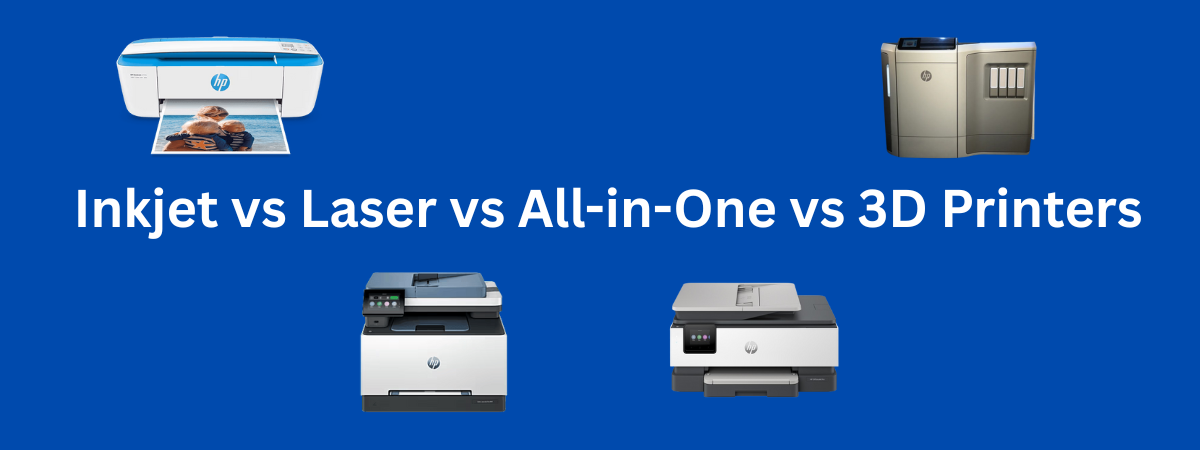
Monochrome Laser Printers
Best for high-volume black-and-white text printing. They’re fast, sharp, and have a low cost per page ideal for briefs, contracts, and correspondence.Colour Laser Printers
Great for presentations, exhibits, or marketing materials. They deliver professional results but cost more per page best used selectively.Multifunction Printers (MFPs)
Perfect for small to medium firms needing scanning, copying, and printing in one. Many support legal-size paper and advanced scanning features.
What to Avoid
To protect your investment, steer clear of:
Cheap Inkjet Printers: High ink costs and poor durability.
Printers Without Security: Risky for client confidentiality.
Models with High Consumable Costs: Hidden long-term expenses.
Devices That Don’t Support Legal-Size Paper: A dealbreaker for law offices.
Final Word
When selecting a printer for your law firm, prioritize security, speed, multifunctionality, legal-size handling, and total cost of ownership. The right machine will keep your practice efficient, secure, and cost-effective for years to come.
Need expert help choosing the best model for your firm? Our office equipment specialists can guide you through the options and match you with the perfect fit. Just leave you comment below.




Leave a Reply