

Recently, Windows 10 has returned to the spotlight in tech news, with some headlines creating a misleading sense of security. There’s growing speculation that Microsoft might reconsider its decision to end support for the operating system, or that the impact won’t be as significant as originally thought especially since certain apps, such as those included in Microsoft 365 subscriptions, will continue functioning on Windows 10 devices until October 10, 2028.
However, the reality is this: on October 14, 2025, Microsoft will officially and permanently end support for Windows 10. While there is a way to keep using the system beyond that date, it comes at a cost literally. So, let’s take a closer look at what your real options are and what they mean for users going forward.
- The worst choice: Ignoring that Microsoft is ending support for Windows 10 on October 14, 2025
- The simple but expensive solution: Buying new Windows 11 systems (including Copilot+ PC devices)
- An expensive delay: Paying for the Windows 10 Extended Security Updates program
- A reasonable option for some users: Upgrading some hardware and moving to Windows 11
- What are your plans for the day when Windows 10 support stops?
The worst choice: Ignoring that Microsoft is ending support for Windows 10 on October 14, 2025
It’s human nature to avoid difficult problems. They can be intimidating and often require effort we’re not ready or willing to invest. This tendency isn’t limited to individuals; it also applies to businesses, public institutions, and organizations. When it comes to the future of Windows 10, this avoidance behavior is becoming increasingly evident.
While many applications, games, and services will continue to function for a while on Windows 10 devices, the reality is that these systems will soon begin to fall behind. After October 14, 2025, Windows 10 PCs will no longer benefit from the following:
-
No technical support: Microsoft will cease all technical support for Windows 10. Users and IT teams will no longer have access to dedicated support services.
-
No new features or development: Microsoft will stop developing new features, updates, or services for Windows 10.
-
Ignored support requests: Any requests related to Windows 10 issues or enhancements will go unanswered.
-
Shrinking third-party support: Software and hardware manufacturers will gradually stop building compatible products for the operating system.
Users whether individuals or organizations who choose not to upgrade will essentially be on their own. This decision carries significant risks, especially regarding security. Without updates, Windows 10 will become an increasingly vulnerable target for malware, ransomware, and cyberattacks. Even casual home users who occasionally connect to the internet will be at risk.
For businesses, the consequences are even more serious. Operating on unsupported systems can lead to regulatory non-compliance especially under strict frameworks like those in the European Union. This will be particularly problematic for organizations in sensitive sectors such as healthcare, finance, or defense contracting, where cybersecurity and compliance are critical.
Beyond security, compatibility issues will gradually arise. As developers shift focus to newer platforms, Windows 10 will lose support for the latest apps, drivers, hardware, and web browsers. The operating system will slowly become obsolete not overnight, but inevitably and irreversibly.
The simple but expensive solution: Buying new Windows 11 systems (including Copilot+ PC devices)
The most straightforward solution to this issue is to purchase new PCs or laptops that either come preloaded with Windows 11 or are compatible with it. There’s a wide range of options available to fit virtually any budget from entry-level laptops starting around $300 to high-end models priced over $2,000. If you prefer a desktop, there are also plenty of configurations to choose from, whether you’re looking for compact systems or fully equipped setups. For example, we recently reviewed the ZMEU Comic Con Edition a pre-built desktop that delivers a well-balanced configuration at a reasonable price.
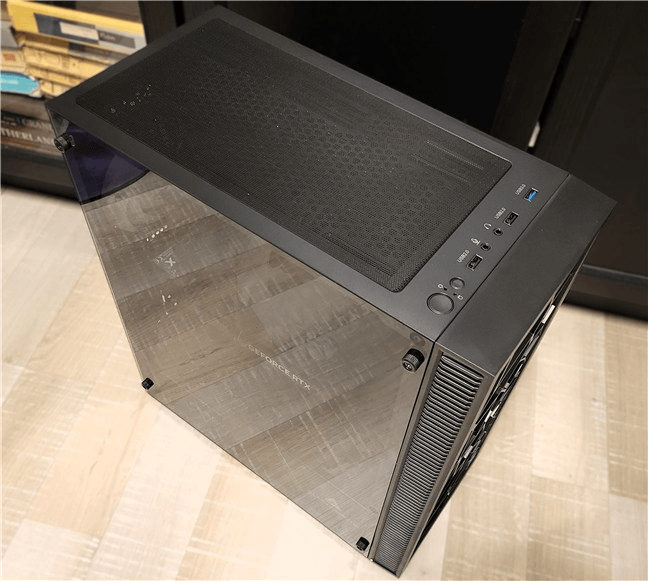
ZMEU Comic Con Edition supports Window 11
It features an AMD Ryzen 5 5600 processor, a Gigabyte B550M AORUS Elite motherboard, an NVIDIA GeForce RTX 4060 GPU, 32GB of Kingston DDR4-3200 RAM, and a 1TB Kingston NV3NVMe SSD.

The Kingston NV3 NVMe SSD works great with Windows 11
In our testing, the system delivered solid gaming performance, maintained low temperatures, and operated quietly. Most importantly, it runs Windows 11 seamlessly an operating system that will continue to receive long-term support from Microsoft.
Another option worth considering is investing in laptops and desktops labeled as Copilot+ PCs. These devices come equipped with specialized hardware designed to enhance performance when using AI-powered tools and services. They also unlock exclusive Windows 11 features such as Windows Studio Effects, Recall, Presence Sensing, and more making them ideal for users looking to take full advantage of the latest innovations in Windows and AI.
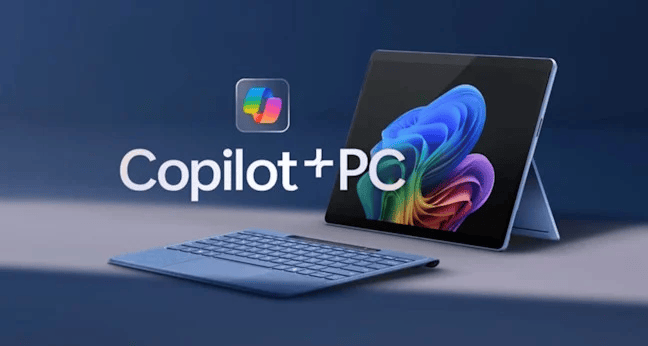
There are many Copilot + PC devices to choose from
Image source: Microsoft
While this option can be costly upfront, there are still affordable alternatives for individuals and organizations working with limited budgets. Entry-level Windows 11-compatible devices are available at lower price points, making the transition more manageable. Regardless of the chosen path, investing in a supported and secure system is a far better solution than continuing to rely on Windows 10, which will soon become outdated, unsupported, and increasingly vulnerable.
An expensive delay: Paying for the Windows 10 Extended Security Updates program
If you’re not yet ready to switch to Windows 11 but want to continue using Windows 10 without facing major security risks, Microsoft offers an alternative: the Extended Security Updates (ESU) program. This program will be available for three years, until October 2028. However, it comes at a cost—$61 per year per device for businesses and institutions, and $30 per year per device for home users. The price will double each year, making it significantly more expensive over time.
It’s important to note that the ESU program does not include full technical support for Windows 10. Instead, it offers only the following:
-
Security updates for Windows 10, aimed at protecting systems from emerging threats.
-
Technical support solely for issues caused by those security updates. Any other problems will simply be met with a recommendation to upgrade to Windows 11.
-
Security updates for Microsoft 365 apps (e.g., Word, Excel, PowerPoint), which will also be available to users not enrolled in the ESU program. These updates apply only to the apps themselves—not to the Windows 10 operating system or any other Microsoft software outside of the 365 suite.
In the end, those who choose the ESU route will be paying a steadily increasing amount for limited benefits particularly in the second and third years, when the value of the program diminishes further. And once the ESU program ends in 2028, users will still face the inevitable need to upgrade, likely to new hardware running Windows 11 or possibly even Windows 12.
A reasonable option for some users: Upgrading some hardware and moving to Windows 11
Windows 10 users can upgrade to Windows 11 for free. If you have a PC or laptop that meets the Windows 11 system requirements, you can upgrade from Windows 10 to Windows 11 in minutes. To help you, we have a step-by-step guide: How to upgrade from Windows 10 to Windows 11 for free.
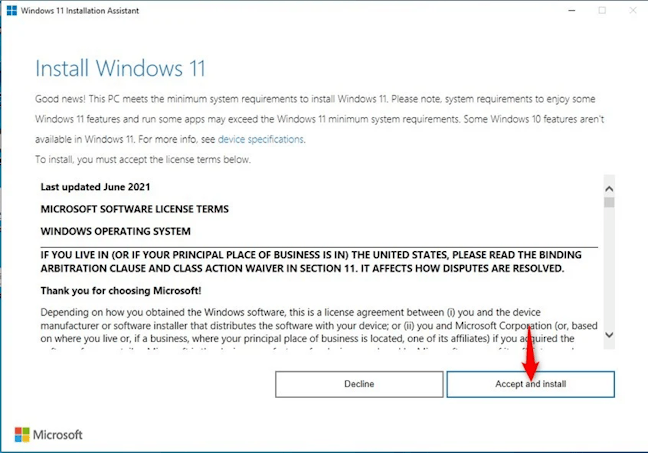
Use the Windows 11 installation Assistant for an easy upgrade
If your PC or laptop lacks enough RAM or big and fast enough storage, there’s a simple and often reasonably priced fix. You can buy a memory kit, like the Kingston FURY Renegade DDR4 3200 MT/s (also used in the system mentioned earlier), or an SSD currently available for a great price, like the Kingston KC3000 we tested a few years ago, which is still a relevant option for those who want a fast storage solution.

Kingston KC3000 is a faster SSD drive with an really good price
If the processor in the PC or laptop you’re using isn’t compatible with Windows 11, your situation can be quite difficult. Upgrading your hardware will be expensive, and you may be better off buying a new device that comes with Windows 11 pre-installed. Alternatively, you can install Windows 11 on your unsupported hardware using the solutions in the guide we created on the subject.
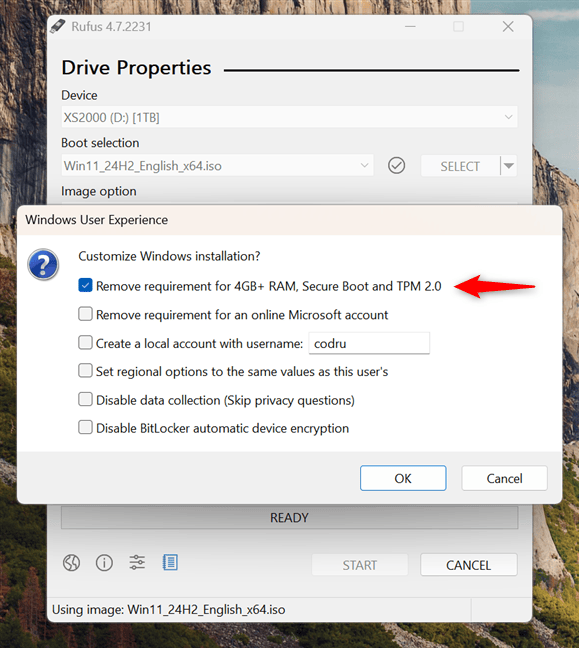
You can force to install Window 11 on unsupported hardware
Unfortunately, you may encounter performance issues when continuing to use older hardware, and overall system responsiveness might not be ideal. In some cases, performance can be improved by upgrading the RAM or switching to an SSD provided your system supports it. However, many older or budget Windows 10 laptops lack an M.2 slot for installing an NVMe SSD and don’t offer the option to upgrade the RAM.
If you’re in that situation, the only practical way to keep using the device without exposing yourself to significant security risks is to switch to a different operating system Linux. Our recommended choice remains Ubuntu, which offers a user-friendly interface, solid performance on older hardware, and strong community support.
What are your plans for the day when Windows 10 support stops?
I know that many Wise Reads N0w readers still use Windows 10, both at home and in the workplace. But I wonder how many of you are aware that there are only a few months left until Microsoft officially ends support for this operating system? And more importantly, what are your plans after October 14, 2025?
Will you stick with Windows 10 and pay for the Extended Security Updates (ESU) program? Are you planning to upgrade to Windows 11 perhaps along with a RAM or SSD upgrade? Or have you already made the switch and purchased a new Windows 11 laptop or PC?



tlovertonet
Outstanding post, I conceive website owners should acquire a lot from this blog its rattling user pleasant.